
MonitowerJS est une application de monitoring pour les systèmes Linux (uniquement). Basé sur la stack NodeJS / Express / Socket.IO, ce projet a été initié dans un but principalement éducatif. Il peut cependant s’avérer pratique pour surveiller la charge globale d’une machine.
Démonstration: https://blognote32.1337.cx:3200

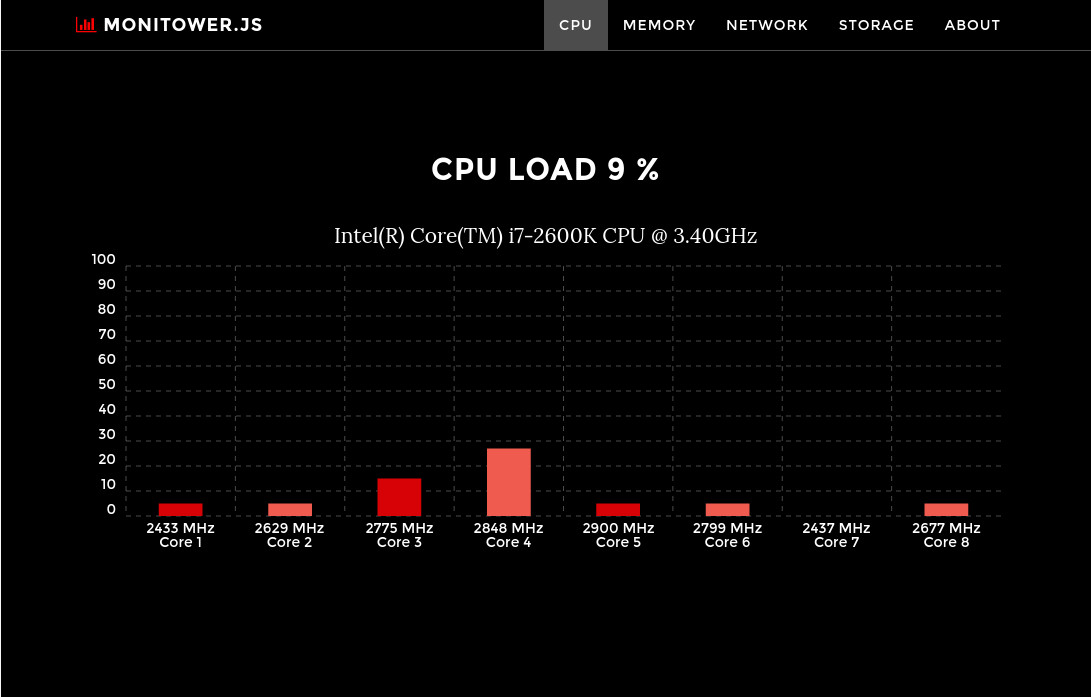

- Interface Web « Responsive » supportant tous types d’appareil mobile
- Métriques temps réel grâce à l’utilisation de WebSocket
- Faible consommation de ressources CPU
- Testé sous CentOS / Debian / ArchLinux
Téléchargement & Installation
Installer NodeJS:
yum install nodejs npm       # on CentOS
apt-get install nodejs npm   # on Debian
Installer MonitowerJS:
cd /opt
wget https://blognote32.1337.cx/files/MonitowerJS_v0.9.1.zip
unzip MonitowerJS_v0.9.1.zip
rm -f MonitowerJS_v0.9.1.zip
cd MonitowerJS
npm install
Démarrer MonitowerJS:
node app.js
Par défaut, MonitowerJS écoute sur le port non standard 3200 (http://localhost:3200).
Configuration Systemd
Pour démarrer MonitowerJS en tant que démon sous Systemd.
/etc/systemd/system/monitowerjs.unit
[Service]
ExecStart=/usr/bin/node /opt/MonitowerJS/app.js
Restart=no
SyslogIdentifier=monitowerjs
User=monitower
Group=monitower

[Install]
WantedBy=multi-user.target
systemctl daemon-reload
systemctl start monitowerjs
systemctl enable monitowerjs
Configuration Nginx
Configuration d’un proxy SSL avec authentification sous Nginx.
/etc/nginx/conf.d/monitowerjs.conf
server {
        server_name mon-serveur;
        listen 445 ssl;

        auth_basic "Restricted";
        auth_basic_user_file /opt/MonitowerJS/.htpasswd;

        ssl_protocols TLSv1.2;
        ssl_certificate server.cert;
        ssl_certificate_key server.key;

        location / {
                proxy_set_header X-Real-IP $remote_addr;
                proxy_set_header X-Forwarded-For $proxy_add_x_forwarded_for;
                proxy_set_header Host $http_host;
                proxy_set_header X-NginX-Proxy true;
                proxy_pass    http://127.0.0.1:3200/;
                proxy_set_header Upgrade $http_upgrade;
                proxy_set_header Connection "upgrade";
                proxy_http_version 1.1;
        }

    access_log /var/log/nginx/monitowerjs_access.log;
    error_log /var/log/nginx/monitowerjs_error.log;
}
Pour générer un fichier .htpasswd: http://www.web2generators.com/apache-tools/htpasswd-generator
